Account Recon · Operationalization · Personalization · Sales Execution · Discovery
S01E13: You've Been Using the Wrong AI for Sales Work
You've Been Using the Wrong AI for Sales Work
Most salespeople defaulted to ChatGPT when AI went mainstream. I did too.
And it makes sense. It was first. It was everywhere. Your coworkers used it. Your company Slack had tips for it.
But defaults aren't decisions.
If you're using AI seriously for sales work, including prospecting, call prep, deal coaching, and writing, ChatGPT is not the best tool. Claude is. And most people don't know it exists, or don't know how to use it properly.
This issue covers why Claude wins for sales, how to get set up in under 10 minutes, and what the difference is between Claude, Claude Cowork, and Claude Code (because the naming is confusing and it matters).
Why ChatGPT feels good but falls short
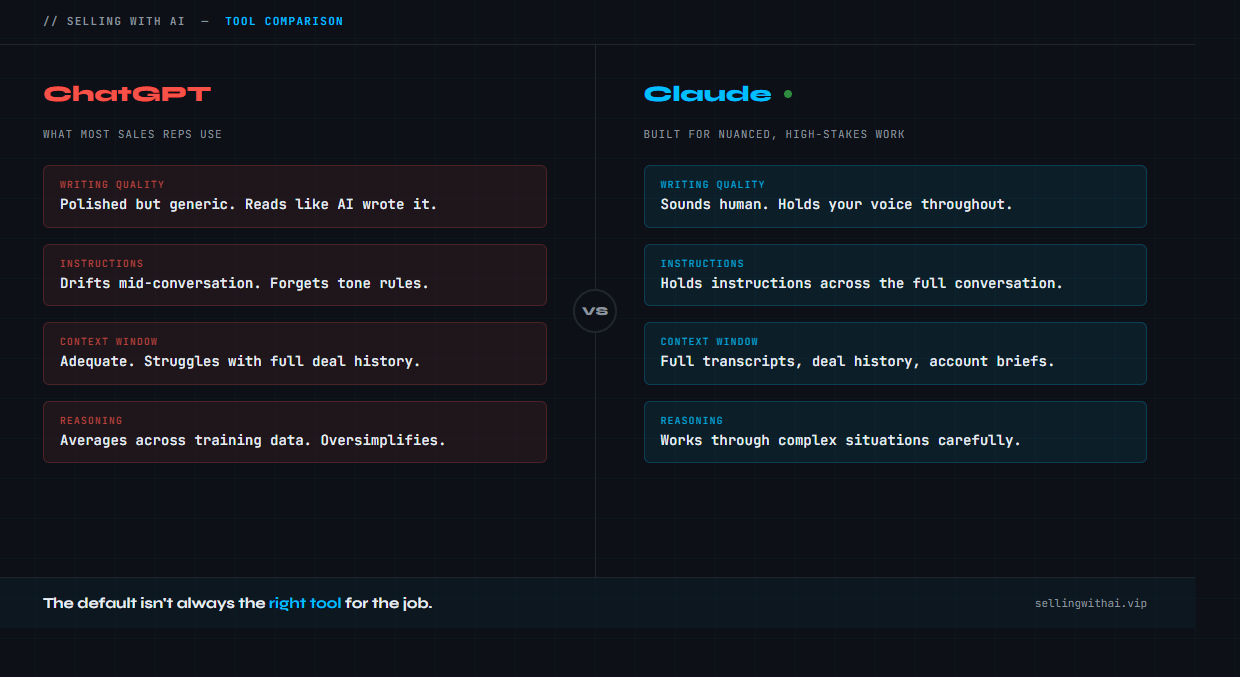
ChatGPT versus Claude
ChatGPT is a great general-purpose tool.
It handles a wide range of requests. The interface is familiar. GPT-4o is cheap and capable. For quick answers and basic writing, it gets the job done.
But sales work isn't general-purpose.
Sales work is nuanced. You're dealing with context-heavy situations: a prospect you've been chasing for three months, a deal with four stakeholders and competing priorities, an email that needs to feel human and can move a decision forward.
ChatGPT tends to give you polished, generic output. It sounds good on the surface. But the more specific and high-stakes the task, the more you notice it's averaging across everything it's been trained on rather than reasoning carefully about your specific situation.
Claude reasons differently.
Anthropic built Claude to follow nuanced instructions, hold more context in a single conversation, and produce writing that doesn't read like AI. For sales-specific tasks, that difference shows up fast.
Here's where it actually matters:
Writing. Claude produces copy that sounds like a human wrote it. ChatGPT often produces copy that sounds like AI wrote it. That distinction matters when you're writing outreach, follow-up emails, or LinkedIn content.
Long context. Claude can hold a full call transcript, deal history, or account brief in a single conversation and reason across all of it. ChatGPT's context window is adequate. Claude's is genuinely useful.
Instructions. Tell Claude to be direct, skip corporate language, and write like a sales practitioner. It holds that instruction throughout the conversation. ChatGPT drifts.
Reasoning. Claude is better at working through complex situations, like MEDDPICC gaps, deal strategy, or stakeholder dynamics, without oversimplifying.
This isn't a knock on ChatGPT. It's a good product. But if your goal is to use AI to actually get better at sales, Claude is the better tool for that job.
The three Claude products (and which one you need)
Here's where people get confused.
Anthropic makes three distinct products that all have "Claude" in the name. They serve completely different purposes.
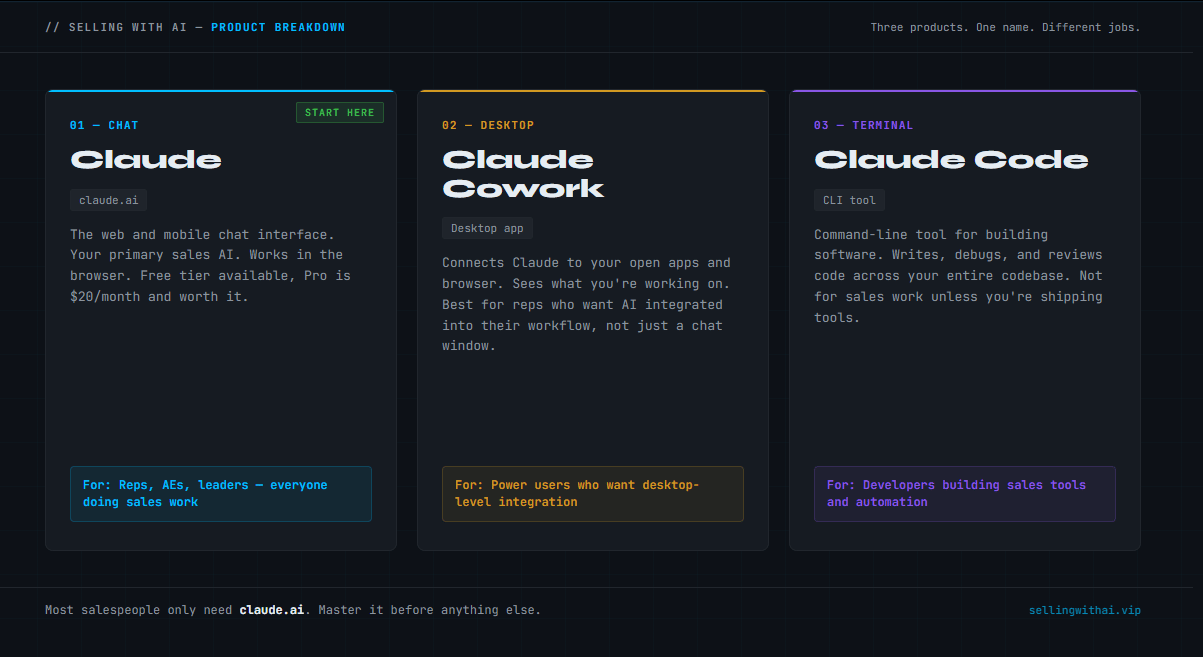
Claude’s 3 Products: Claude, Claude Cowork, and Claude Code
Claude (claude.ai)
This is the chat interface. It's what most people should start with.
Go to claude.ai, create an account, and you're in. The free tier is usable. The Pro plan ($20/month) gives you access to the best models, more usage, and features that matter for daily use.
This is your primary sales AI. Use it for:
Writing outreach, follow-ups, and emails
Preparing for discovery calls and demos
Analyzing transcripts and call notes
Researching accounts before meetings
Thinking through deal strategy
Building prompts and frameworks you'll use repeatedly
The interface looks similar to ChatGPT. But the behavior is different, and the model is better for the work I’m describing.
One more thing… make sure to download the Chrome extension…. this is an absolute game changer by itself, AND combined with the other tools as well.
One feature most people skip: Projects.
Inside Claude, you can create a Project and load it with context that persists across every conversation in that project. You can paste in your company's product overview, your ICP, your tone guidelines, your sales methodology. Claude will use that context automatically every time you open a chat in that project.
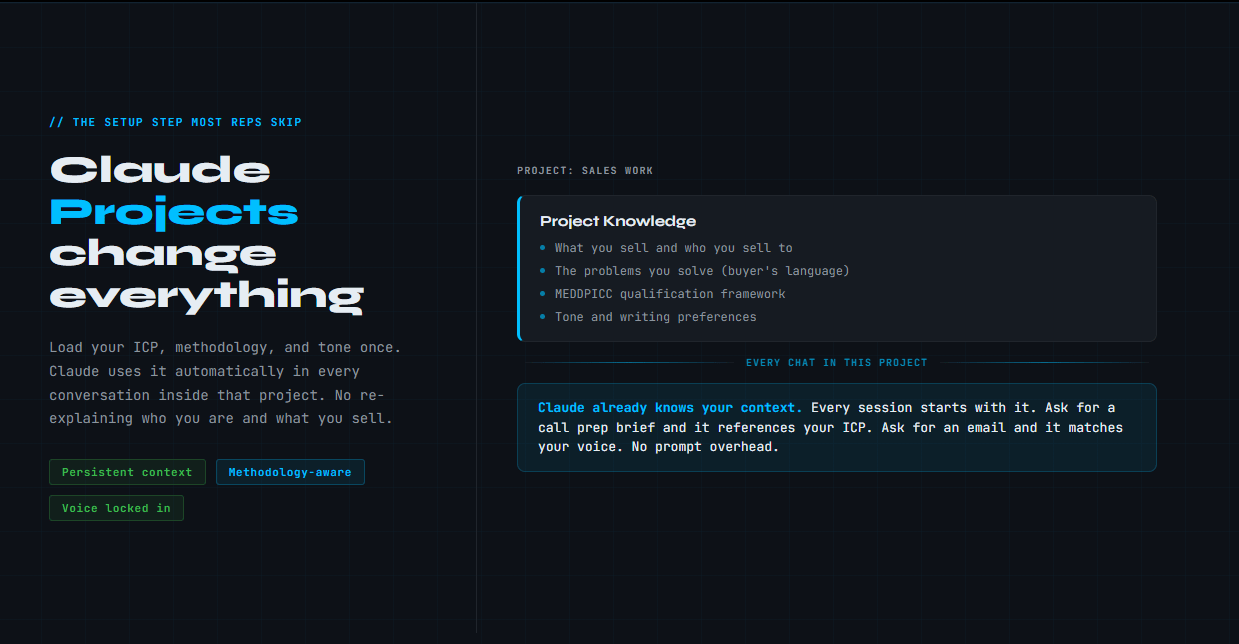
Don’t sleep on Claude Projects….
To set it up: Create a Project, click "Add content," and paste in your context. 500-1000 words is enough to start. Include who your buyer is, what problems you solve, what your methodology is, and how you want Claude to write.
Now every session starts with Claude already knowing your context. No more re-explaining who you are and what you sell.
Claude Cowork
Cowork is a desktop app. It's a separate product from the web interface. Click here to be taken directly to the download page.
It connects Claude to the apps you already use, including your browser, calendar, and files on your desktop. It's designed for knowledge workers who want AI that can see what they're working on and assist without having to copy/paste everything into a chat window.
For sales, the most useful applications are:
Scanning and organizing all the files in your downloads folder… or your desktop… or really anything….
Pull up a prospect's LinkedIn or website and have Claude summarize it for you
Open a deal in Salesforce and have Claude identify MEDDPICC gaps
Work on a proposal in Google Docs with Claude visible alongside it
It's not for everyone. If you're already getting value out of claude.ai, Cowork is an upgrade to consider once you've built habits with the core product. Don't start here.
Think of it this way: Claude (the web app) is your AI assistant. Cowork is that assistant watching your screen and jumping in when useful.
Claude Code
Claude Code is for developers.
It's a command-line tool that integrates Claude directly into your coding workflow. If you're building software, it's genuinely powerful. It writes code, debugs, reviews, and works across your entire codebase.
If you're not building software, you don't need it.
If you are building sales tools, automation scripts, or internal applications, it's worth knowing about. But that's a different issue.
The short version:
Product | Who it's for | Where to start |
|---|---|---|
Claude (claude.ai) | Everyone | Yes, start here |
Claude Cowork | Power users who want desktop integration | After you've built habits |
Claude Code | Developers building software | Only if you're coding |
Getting set up in 10 minutes
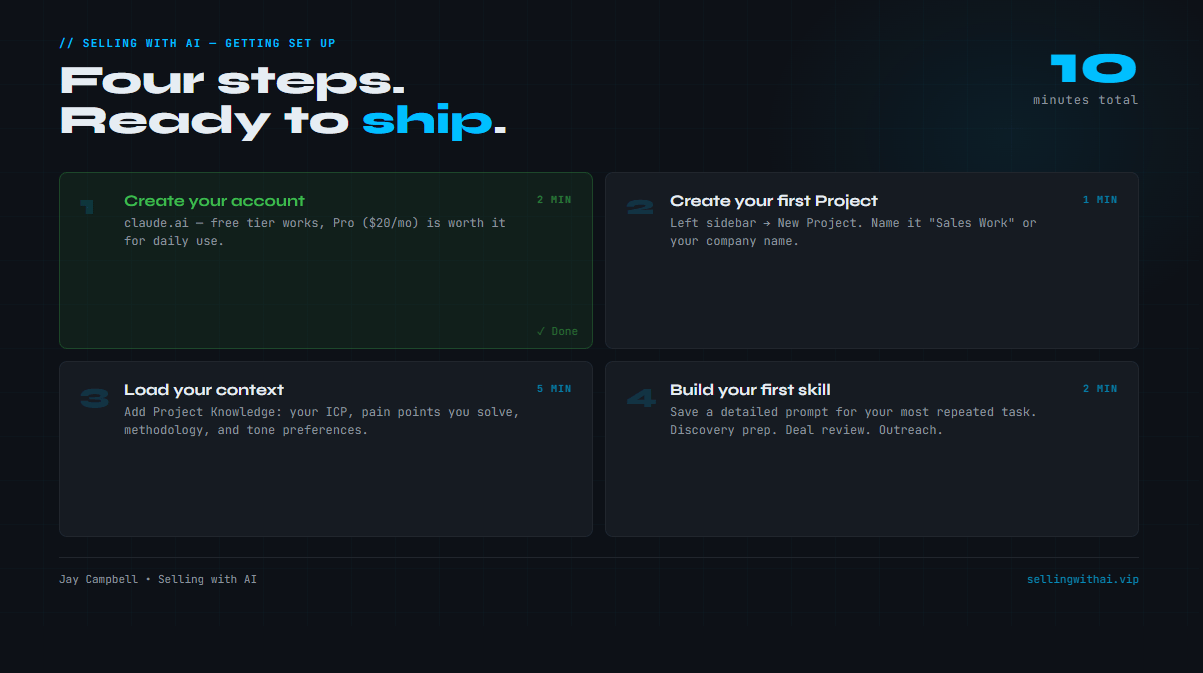
This is the actual setup. Follow these steps and you'll be ahead of 90% of people using Claude.
Step 1: Create your account
Go to claude.ai. Sign up with Google or email. Free tier works, but Pro ($20/month) is worth it if you're using this daily. The model quality difference is real (as well as the amount of usage they will allow).
Step 2: Create your first Project
In the left sidebar, click "New Project." Name it something like "Sales Work" or your company name.
Inside the project, click "Add project knowledge." This is where you load your context.
Paste in a brief that includes:
What you sell and who you sell to
The problems you solve (in your buyer's language)
Your sales methodology (MEDDPICC, SPICED, whatever you use)
Your tone and writing preferences
As much information about your product(s) as possible (internal wiki’s, product one-pagers, or even customer-facing documents) are all a huge bonus here.
Here's a template to start from:
I'm a [role] at [company]. We sell [product] to [buyer type].

The main problems we solve:
- [Pain 1]
- [Pain 2]
- [Pain 3]

I use MEDDPICC to qualify deals. When helping me with deals, ask about or look for:
- Metrics (quantified business impact)
- Economic buyer (who actually controls budget)
- Decision criteria (how they'll evaluate options)
- Decision process (steps, timeline, stakeholders)
- Paper process (legal, procurement, security)
- Identify pain (the core problem driving urgency)
- Champion (who's selling internally for me)

Writing preferences:
- Short sentences
- Direct and honest
- No corporate language
- Sound like a human wrote it
Fill it in with your actual details. This takes 5 minutes and pays off every session.
Step 3: Start a chat inside your Project
Every conversation you start within the project automatically has the context you just defined, loaded and ready to go.
Open a new chat, and try this first prompt:
I have a discovery call tomorrow with [company]. They're a [description].
I know [whatever you know]. Help me build a prep brief and the 5 best
questions to ask based on my MEDDPICC methodology.
Claude will use your project context to make the output specific to your methodology and ICP. You won't need to explain what MEDDPICC is or how you sell. It already knows.
Step 4: Build your first skill
A skill is just a saved prompt you reuse.
Think about the task you repeat most often. Writing prospecting emails. Building call prep briefs. Analyzing a transcript. Scoring a deal.
Write a detailed prompt for that task. Save it somewhere (a note, a doc, inside the project as context). Now you have a repeatable workflow instead of starting from scratch every time.
The shift worth making
People treat AI like a search engine. Ask a question, get an answer, move on.
That's not how you get value out of Claude.
Claude is better when you give it context. The more it knows about your situation, your buyer, and your deal, the more useful the output
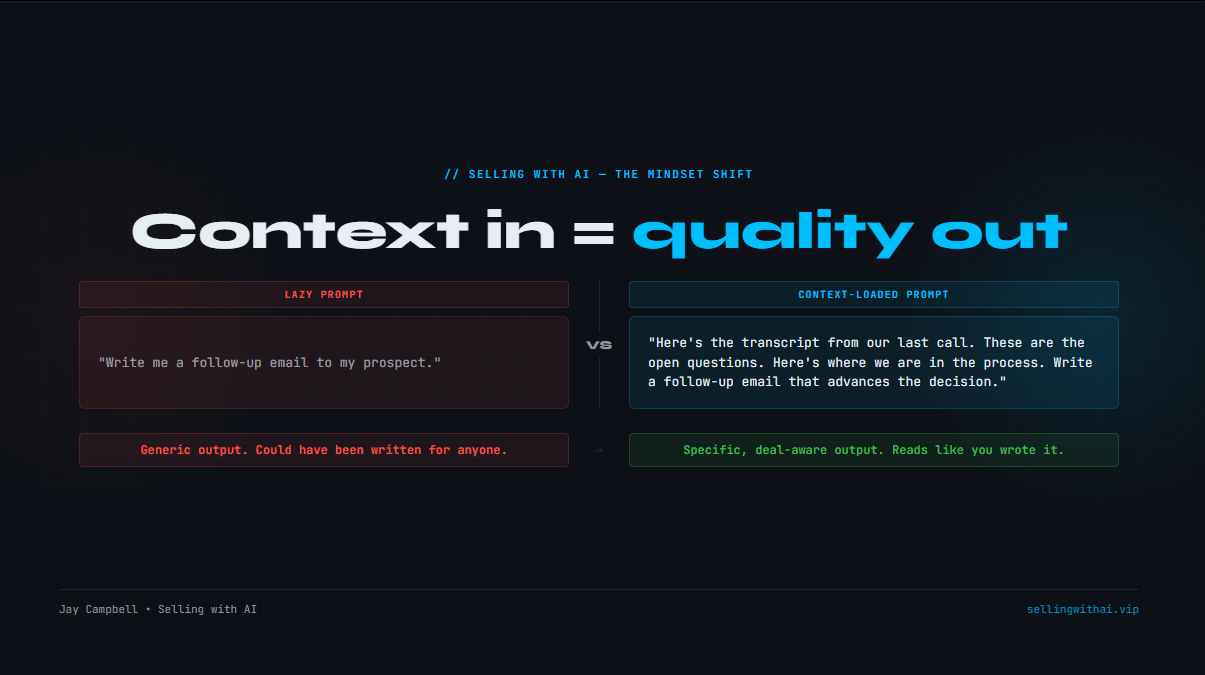
This isn’t just for Claude… this is for any AI. Claude just makes it easier to use because it allows you to store context in certain places that can be reused… over and over again. This is why AI is so useful. This is where AI truly shines.
Build the habit of loading context before asking for help. Don’t ask: "write me a follow-up email." Instead: "Here's the transcript from our last call. Here are the open questions. Here's where we are in the process. Write a follow-up email that advances the decision."
The output quality difference is impressive.
What's next
This is part one of a series.
Next issue: how to build prompts that actually work for sales tasks, including the templates I use for discovery prep, deal reviews, and account research.
If you made the switch from ChatGPT and got set up this week, hit reply and let me know. I read every response.

The Prompts (Paid Section)
Members can continue reading….
You just read the motion. Now run it.
The prompts, checklists, and templates that turn this into a 10-minute execution are in the Vault.
Get Vault Access Translation missing: en.app.shared.conjuction.or Sign In
Vault access includes:
- Copy and paste execution prompt packs
- Deal, outbound, and follow-up playbooks
- Operating checklists for every motion
- Members Vault access